bashman2025
New Member
- Joined
- Aug 26, 2025
- Messages
- 5
- Reaction score
- 0
Is it possible to download the Oticon Intent 2 program data into the Genie 2 software? Thank you!

Please help.
oticon Genie 2
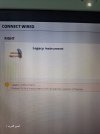
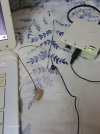
I'm trying to connect to the Oticon Jet 1 mini and Oticon cz9 B 105 hearing aids.
The program doesn't recognize them, even though they're up to date.
Does it have a code?

Download? For what? What do you want to do with the settings after downloading?Is it possible to download the Oticon Intent 2 program data into the Genie 2 software? Thank you!
My hearing aids were programmed by an audiologist. I’d like to load this information into the Genie 2 software so that I can adjust the tinnitus settings without affecting the other settings. So I am wondering if this is possible or do I have to keep going to the audiologist for adjustments?Download? For what? What do you want to do with the settings after downloading?
Here's a clip from a DIY School Hearing Aids (v2,2) PDF file named (02 How to Program your Hearing Aids);
Step 4 – Save your Original Professional Settings (if any)
An important feature for keeping track of changes to your hearing aid settings/HA settings is the concept of keeping your database settings an exact match to your HA settings! Normally, you can proceed without getting a (Settings Mismatch Warning) because your HA settings have a DateTimestamp that matches the DateTimestamp of the last database session. Caveat; You are allowed to bypass this matching DateTimestamp requirement when this is the first time connecting your HAs (with a new database client) because your new database client is empty. Caveat2; This is how it works for Oticon and I suspect that it works this same was for other manufacturers. But I cannot say for certain without testing all other brands?
At the END FITTING step, the fitting software typically asks where to save the settings? Note that your fitting changes are already temporarily applied to the HAs (at the time-you-make-a-change). However, you still get to choose where and whether to save the settings permanently
After saving setting to both places, you are now in sync with hearing aid settings saved in two places, your hearing aids, and your database.
- In the HAs?
- In the database?
- Neither HAs or Database – in other words – Don’t save any changes.
- Both the HAs and the database? Both is the typical choice for saving your changes, giving a standard result of your hearing aid settings always matching your last database session.
Yes it is possible. Did you read Step 4?My hearing aids were programmed by an audiologist. I’d like to load this information into the Genie 2 software so that I can adjust the tinnitus settings without affecting the other settings. So I am wondering if this is possible or do I have to keep going to the audiologist for adjustments?
Thank you!Yes it is possible. Did you read Step 4?