Looking for Inspire X older versions

AldoGarcia

New Member
Joined
Aug 12, 2025
Messages
3
Reaction score
0
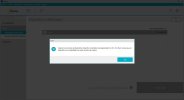
Hi, i'm looking for inspire X older versions, because the current version doesn't let me fit it, i don't know the specific model of the CIC. I have tried in multibranding version of inspire, but no one worked.
Thanks, have a good day.
 

Attachments

  • inspire X error.jpg
    inspire X error.jpg
    60.2 KB · Views: 4
I have tried in multibranding version of inspire
Did you use a special Windows "Run" command as described below?
Which ReBranded model are you seeking to fit? There are many!!
Here's a clip from a DIY School Hearing Aids (v2.2) PDF file named (Unlocking ReBranded Hearing Aids) showing the Run commands;

C:\Program Files (x86)\Starkey Laboratories\Inspire OS\Starkey.Inspire.Host.PatientBase.exe launch AudigyGroupFitting
C:\Program Files (x86)\Starkey Laboratories\Inspire OS\Starkey.Inspire.Host.PatientBase.exe launch AmplifonFitting
C:\Program Files (x86)\Starkey Laboratories\Inspire OS\Starkey.Inspire.Host.PatientBase.exe launch AudibelFitting
C:\Program Files (x86)\Starkey Laboratories\Inspire OS\Starkey.Inspire.Host.PatientBase.exe launch AudikaFitting
C:\Program Files (x86)\Starkey Laboratories\Inspire OS\Starkey.Inspire.Host.PatientBase.exe launch AudioSyncGeneralFitting
C:\Program Files (x86)\Starkey Laboratories\Inspire OS\Starkey.Inspire.Host.PatientBase.exe launch HorexFitting
C:\Program Files (x86)\Starkey Laboratories\Inspire OS\Starkey.Inspire.Host.PatientBase.exe launch KINDFitting
C:\Program Files (x86)\Starkey Laboratories\Inspire OS\Starkey.Inspire.Host.PatientBase.exe launch LisoundFitting
C:\Program Files (x86)\Starkey Laboratories\Inspire OS\Starkey.Inspire.Host.PatientBase.exe launch MedtronicFitting
C:\Program Files (x86)\Starkey Laboratories\Inspire OS\Starkey.Inspire.Host.PatientBase.exe launch MicroTechFitting
C:\Program Files (x86)\Starkey Laboratories\Inspire OS\Starkey.Inspire.Host.PatientBase.exe launch Starkey
C:\Program Files (x86)\Starkey Laboratories\Inspire OS\Starkey.Inspire.Host.PatientBase.exe launch NuEarFitting
C:\Program Files (x86)\Starkey Laboratories\Inspire OS\Starkey.Inspire.Host.PatientBase.exe launch VisaudioFitting
C:\Program Files (x86)\Starkey Laboratories\Inspire OS\Starkey.Inspire.Host.PatientBase.exe launch MiracleEar

 
Last edited:
RE: "Error/Mistake - Inspire does not recognize the right device connected to the Hi-Pro programmer. Please check that your device is compatible with this version of Inspire."

Perhaps you don't understand how to use the multibrand version of Inspire. Instead of running the Starkey Inspire normally, you will need to run Starkey Inspire using a (special Windows Run Command), and provide a "launch" parameter to specify which ReBranded Starkey version you want to run.
 
Hi PVC, thanks for your response.
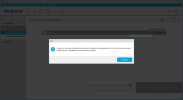
I´ve tried with all of them in the multibrand version, but no one work, i think maybe is the inspire X version. I have another CIC, but the problem is the same, do you know why???
 

Attachments

  • Capture1.PNG
    Capture1.PNG
    53.4 KB · Views: 2
  • You have a CIC hearing aid model and you don't know which brand?
  • You have another CIC hearing aid model and you don't know which brand this second CIC model is?
  • The error code you are showing in your last post, is an error about not connecting to a Hi Pro hearing aid programming device. It's not about connecting to the hearing aid.
Why are you trying to use Starkey fitting software for an unknown hearing aid model?
Why are you trying to connect to the hearing aid fitting software (Starkey Inspire) without the required hearing aid programming device (hardware).

This is the wrong approach.
Maybe you should translate and read some DIY School Hearing Aids (v2.2) PDF files.
Suggested reading (02 How to Program your Hearing Aids).

The DIY School Hearing Aids (v2.2) access portals are at your finger tips via 24/7 cloud storage access.
  • Start here → DIY School Hearing Aids (v2.2) to find the access portals
  • You can easily find the Access Portals again/anytime, by clicking any PVC Avatar (click twice - counting the 2nd popup Avatar)
  • When logged in, you can find the Access Portals again/anytime, by clicking a Link in my Signature
  • And finally, you can perform a simple Internet search for "DIY School Hearing Aids"
 
Back
Top