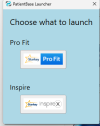

New Starkey fitting software release, Starkey Pro Fit 2.0.1

pvc

Well-Known Member
Joined
Apr 12, 2023
Messages
3,583
Reaction score
869
Starkey Pro Fit took an update to Starkey Pro Fit 2.0.1. and a few other observations are listed below;
  • ProFitSetup 2.0.10068.0 represents a new naming standard from old software containers named (Starkey Pro Fit 2023.0.35068.0)
  • New (Pro Fit Updater) is running in background
  • However, old (Inspire Updater) is still hanging around if you check for updates in Starkey Inspire
I don't expect the old Legacy (Inspire Updater) will have any updates in the future. Though, perhaps some bug fixes.
 
Last edited:
Hello, good afternoon, I have problems installing Starkey PRO FIT. I installed the patient database, and starkey inspire, but when installing Pro Fit the installation bounced and did not proceed. Anyone else has happened?
 
Hi; Did you restart your computer before installing Starkey Pro Fit?
What was the error message?

From DIY School Hearing Aids PDF File named (01 Free Hearing Aid Fitting Software):
Perform these Steps for Installation:
  • Step1 - Install PatientBase, the required Starkey Patient Database.
  • Step2 - Restart your computer.
  • Step3 - Install Starkey ProFit 2.0.10068.0 (or latest) for Newer/Current hearing aids. Note: You can read about an Optional Popup Installation of ProFit below. But the simpler method is to install ProFit (now/first) and not wait for the dubious Popup Install option which may be region dependent.
  • Step4 – (Optionally) Install Starkey Inspire X 2023.1 (aka InspireSetup 27.1.10048.0) for Starkey Legacy hearing aids. You could also install Starkey Inspire X 2023.1 separately at a later time or just leave the Lgacy version as not installed. You choose whether you want Current and Legacy versions.
  • Step5 - Restart your computer again.
 
Last edited:
yes, restart. I don't get any errors, it just doesn't continue with the installation process. Would I have to delete everything installed to try again?
 
Following the exact sequence of (PatientBase, ProFit, Inspire) is not strictly a requirement. However you should follow the sequence in order to avoid problems with the automatic (Pop Up) offer to install ProFit.

What does Control Panel / Programs and Features show as Installed? I have these:

c1.png
c3.png
c2.png
 
Yes, If you try Re-Install, then Unsintall everything first.

What display do you get when you run PatientBase? I get this;
Screenshot 2023-10-10 133727.png
 
Last edited:
Starkey Pro Fit took an update to Starkey Pro Fit 2.0.1. and a few other observations are listed below;
  • ProFitSetup 2.0.10068.0 represents a new naming standard from old software containers named (Starkey Pro Fit 2023.0.35068.0)
  • New (Pro Fit Updater) is running in background
  • However, old (Inspire Updater) is still hanging around if you check for updates in Starkey Inspire
I don't expect the old Legacy (Inspire Updater) will have any updates in the future. Though, perhaps some bug I h

Starkey Pro Fit took an update to Starkey Pro Fit 2.0.1. and a few other observations are listed below;
  • ProFitSetup 2.0.10068.0 represents a new naming standard from old software containers named (Starkey Pro Fit 2023.0.35068.0)
  • New (Pro Fit Updater) is running in background
  • However, old (Inspire Updater) is still hanging around if you check for updates in Starkey Inspire
I don't expect the old Legacy (Inspire Updater) will have any updates in the future. Though, perhaps some bug fixes.
Once you had send for me Starkey patient database file I have it but I couldn't install Starkey profit from Starkey Web site it was difficult for me,if you can send for me Starkey old and new software link I will be thankful
 
Read your PM/Conversation for information about how to find;
* PatientBase 27.0.10001.0
* ProFitSetup 2.0.10068.0 (or latest) for newer/current hearing aids
* Starkey Inspire X 2023.0 for older/Legacy hearing aids
 
Hello, good afternoon, I have problems installing Starkey PRO FIT. I installed the patient database, and starkey inspire, but when installing Pro Fit the installation bounced and did not proceed. I installed the patient database, and starkey inspire, but when installing Pro Fit the installation bounced and did not proceed.
In addition to Windows Security, please disable/uninstall all other security software and then try to reinstall Starkey softwave again, some security software may incorrectly recognize some combinations of Pro FIT as threats. PatientBase runs as a system service after installation and some security software can have a hard time recognizing this as a threat.
 
Also, I sent to you a PM/Conversation with instructions about how to find the latest version of ProFitSetup 2.0.10068.0
 
Also, "View Hidden Files and Folders" in Windows (File Explorer) Settings!
Start / This PC / 3-Dots ... / Options
c6.jpg

c5.jpg
 
Last edited:
Sorry, Start / This PC / 3-Dots ... / Options / View
 
Maybe ([ ] Show hidden files, folders, and drives option is not the issue)? I am not sure why your windows cannot see (or has failed to download) the setup.exe file??? did you see the post by @menglxs above?
 
If you would like to test an alternative, I could change the name of setup.exe to setuptxt.txt and you could change it back to setup.exe after downloading. Let me know?
 
Okay, I found the problem. The "setup.exe" file was omitted during the upload!
I will contact you soon via PM/Conversation about where to look for a corrected version.
 
Starkey Pro Fit took an update to Starkey Pro Fit 2.0.1. and a few other observations are listed below;
  • ProFitSetup 2.0.10068.0 represents a new naming standard from old software containers named (Starkey Pro Fit 2023.0.35068.0)
  • New (Pro Fit Updater) is running in background
  • However, old (Inspire Updater) is still hanging around if you check for updates in Starkey Inspire
I don't expect the old Legacy (Inspire Updater) will have any updates in the future. Though, perhaps some bug fixes.
Here in DIY school(Free software) are 3 more old version databases, can I install all 3 old and one new data base and are 3 old databases for old model hearing aids.thanks
 
AFAIK> The database (PatientBase) is for storing client fitting sessions, and does not contain any (hearing aid model details).

Some software (such as Connexx) has a separate (hearing instrument database) such as SiFit database, RexFit database, etc.

Others like Oticon, Phonak, Starkey, others, have the models built-into the software version. For example;
  • Oticon Genie 2017.1 for legacy Oticon hearing aids
  • Oticon Genie2 2023.2 for Newer/Current hearing aids
 
hi
same complaint, starkey pro fit not working on my laptop. already installed but requesting for an update for it to work perfectly after connecting the hearing aid. please assit on this.
 
Back
Top