Phonak Target software link

AI Overview
"Ctrl+C" is the keyboard shortcut for the "copy" function on most computer systems, including Windows and macOS. When pressed, it copies the currently selected text or image to the clipboard, allowing you to paste it elsewhere. "Ctrl+V" is then used to paste the content from the clipboard.

The shaded text below is ready to be copied using Keyboard shortcut keys "Ctrl-c";
c1.png
 
Hi there,

Could i please get some indications on where to find the phonak target software? Many thanks in advance.
 
Hello, can someone provide a link to Phonak Target software? I have the Noahlink Wireless 2 and am anxious to get started.

Thanks, Roscoe
 
Salve scusate ma vorrei chiedere gentilmente se qualcuno sa date che ho collegato il noahlink wireless 2 al pc e aperto il programma resound, portando una protesi uditiva resound key4 non trova la protesi perché? Grazie mille
 
Clip from: → Phonak Target Step-by-step Guide;
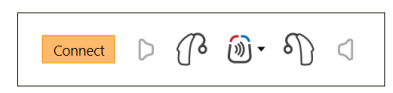
Connect the hearing aids.
Within the client’s fitting session confirm that the correct fitting interface is shown. To change the fitting device, use the pull down arrow next to the fitting device in the dashboard. Click [Connect] to start the fitting. The connected hearing aids will appear in the dashboard. Hearing aids available for pairing will automatically appear. If a hearing aid is not found, open/close the battery door or turn off/on the rechargeable hearing aids to initiate pairing mode.

1753709125050.png
 
Grazie Mille e come salvo le eventuali regolazioni e magari salvare anche questa attuale in modo che se sbaglio qualcosa ritorno di nuovo su questa? Grazie
 
Please read a DIY School Hearing Aids (v2.2) PDF File named (02 How to Program your Hearing Aids) and specifically, Step 4 – Save your Original Professional Settings (if any).

The DIY School Hearing Aids (v2.2) access portals are at your finger tips via 24/7 cloud storage access.
  • Start here → DIY School Hearing Aids (v2.2) to find the access portals
  • You can easily find the Access Portals again/anytime, by clicking any PVC Avatar (click twice - counting the 2nd popup Avatar)
  • When logged in, you can find the Access Portals again/anytime, by clicking a Link in my Signature
  • And finally, you can perform a simple Internet search for "DIY School Hearing Aids"
 
Sto cercando di capire come salvare la regolazione fatta dall AP per eventualmente se non dovessi riuscire a regolare io tornare su quella ufficiale ma è un po difficile i vari passaggi da fare
 
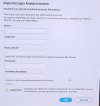
Cortesemente mi potete dire cosa fare a questa schermata? Non so mi devo registrare col mio nome e cognome anche se l AP si sarà salvato il nome e cognome? Grazie mille
 

Attachments

  • 20250725_195625.jpg
    20250725_195625.jpg
    196.7 KB · Views: 2
Please post in English so that others may benefit from the discussion.
If you don't know how, use a Google Search for "how to cut-n-paste"
 
Could you please tell me what to do on this screen? I don't know, do I have to register with my first and last name even though IAP has saved my first and last name? Thank you very much.
 

Attachments

  • 20250725_195625.jpg
    20250725_195625.jpg
    196.7 KB · Views: 3
Hello,
Could I please get a link to get the Phonak Target software v. 10?
Thank you!
 
do I have to register with my first and last name even though IAP has saved my first and last name?
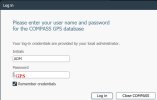
Thank you for posting in English. here's a clip from a DIY School Hearing Aids (v2.2) PDF File named (01 Free Hearing Aid Fitting Software);

Widex Compass GPS - username/password; When you run Compass GPS simply accept default Initials/Password (ADM/GPS) and click Log in. Some ppl mistakenly think that you can enter your own password. You cannot enter you own password. You must accept the default password and continue by clicking (Log in); Special Thanks to HoH-Community member @menglxs for help with login issues.

c1.jpg
 
Hi PVC, How are you? Everything fine.

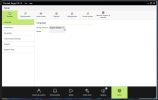
I just installed Target 10 into my Windows laptop and Noahlink Wireless 2 (NW2) arrived yesterday from China. I will plug in WN2 into the laptop and see what happen. The target 10 screen looks like this:-

1753752677183.png


Is there a DIY info for step by step installation and fine tuning the HA.

Your kind advice nad comments is highly appreciated.

Danka
 
Thank you for posting in English. here's a clip from a DIY School Hearing Aids (v2.2) PDF File named (01 Free Hearing Aid Fitting Software);

Widex Compass GPS - username/password; When you run Compass GPS simply accept default Initials/Password (ADM/GPS) and click Log in. Some ppl mistakenly think that you can enter your own password. You cannot enter you own password. You must accept the default password and continue by clicking (Log in); Special Thanks to HoH-Community member @menglxs for help with login issues.

View attachment 1204
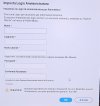
Good morning, so if this screen with the Starkey program appears, what should I do? Thank you very much.
 
Back
Top