Poking into the feasibility of DIY Remote Fitting Hearing Aids

pvc

Well-Known Member
Joined
Apr 12, 2023
Messages
3,525
Reaction score
831
List of software and hardware components:

c2.jpg Software: fitting software for newer/current hearing aids (different software for each manufacturer)
c2.jpg Hardware: The Hearing Aid Programming Device
c2.jpg Software: Cellphone App
c2.jpg Hardware: Cellphone
c2.jpg Hardware: The hearing aid Pair
  • The (Software: fitting software is an absolute requirement! It has all the tools and algorithms for Rx/prescribing/calculation for your your hearing aid settings.
  • Perhaps the (Hardware: Hearing Aid Programming Device) can be omitted. But only if the (Software: Cellphone App) and (Hardware: Cellphone) can be used to write the changed settings to another Hardware piece: namely, The hearing aid Pair.
 
Last edited:
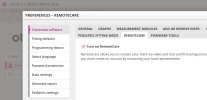
Oticon Genie 2 / Preferences / Edit preferences / REMOTECARE / Turn on RemoteCare

c1.jpg

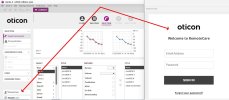
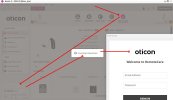
Ah; But when you click the interface to Start RemoteCare it appears to require logging on to your professional account with the manufacturer:

c6.jpg
 
Last edited:
Note: I have heard of some remote fitting types requiring a home programmer (rly dumb imo) but personally I'll be focussing on mobile-powered remote fitting

Specifically Phonak's protocol but it should be interchangeable


My theory is that remote fitting uses the same protocol, or a limited subset of the one that a real NOAHLink Wireless would
This is reinforced by the fact that a NOAHLink Wireless is merely a glorified, overpriced Bluetooth adapter with a proprietary driver and firmware

Also the fact that preliminary investigations into the app's structure, code and protocol shows that it can do a LOT more than it lets on
 
Given that is true, we are at a crossroads in the fitting software processing path at this point.
  • Either we select RemoteCare and proceed (which we cannot do without a professional account)
  • Or we don't select RemoteCare at this point! HMm; I wonder if we can select RemoteCare later?
I will poke around some more;
c2-jpg.252
 
Last edited:
Yes, you are able to proceed with the fitting session, and then wait until later (END FITTING step) to invoke RemoteCare.
That looks promising!

c7.jpg
 
Last edited:
Very interesting... almost makes me want to proxy it

Though the real problem imho, is the fact that I do not believe it is possible to initiate a RemoteCare session without an Oticon Pro Account (since the app uses Oticon's cloud services to perform RemoteCare)

It is certainly interesting though... Perhaps I may be able to look into using proper RemoteCare protocol further...
 
Oh my Bad!! I was using the "Simulate Feature" in order to proceed without connecting the hearing aids!

In a real fitting session, in order to proceed beyond the Oticon "Welcome" step we will have to make a connection to the hearing aids using one of two methods:
  • Connect the fitting software to the hearing aids locally using a hearing aid programming device
  • Connect the fitting software to the hearing aids remotely using RemoteCare which requires a "professional account"
c8.jpg
 
Back
Top