

You are using an out of date browser. It may not display this or other websites correctly.
You should upgrade or use an alternative browser.
You should upgrade or use an alternative browser.
Phonak Target software link
- Thread starter kshermy
- Start date
I'm wondering if there's a setting for speaking with noise with the ReSound Key4? When someone speaks in wind or noise, I can't understand anything. My hearing aid isn't set properly. I'd like to adjust it my way. How can I do that? Thank you so much.

Dankailo
Member
- Joined
- Aug 31, 2023
- Messages
- 37
- Reaction score
- 10
Thanks PVCHI; Here's a link to download a Target PDF file named → Phonak Target 10 User Guide

pvc
Well-Known Member
- Joined
- Apr 12, 2023
- Messages
- 3,583
- Reaction score
- 869
There are two options; (Log in, Close Compass). Click Log in.Good morning, so if this screen with the Starkey program appears, what should I do? Thank you very much.
pvc
Well-Known Member
- Joined
- Apr 12, 2023
- Messages
- 3,583
- Reaction score
- 869
Clip from AI Overview;I'm wondering if there's a setting for speaking with noise with the ReSound Key4? When someone speaks in wind or noise, I can't understand anything. My hearing aid isn't set properly. I'd like to adjust it my way. How can I do that? Thank you so much.
The ReSound Key 4 hearing aid utilizes several features to manage noise and improve listening comfort in noisy environments. These include Noise Reduction, Wind Guard, and Impulse Noise Reduction. The Smart 3D app also allows users to customize and control volume and background noise.
Noise Reduction Features:
- Noise Reduction:
The Key 4 features ReSound's Noise Tracker II, which reduces background noise to enhance speech clarity. The noise reduction can be customized for different environments using the Smart 3D app.
- Wind Guard:
This feature uses the hearing aid's dual microphones to detect wind and reduce turbulent sounds caused by wind, improving listening comfort in outdoor settings.
- Impulse Noise Reduction:
This feature reduces the impact of sudden, loud sounds like a door slamming or dishes clattering, making these noises less jarring.
pvc
Well-Known Member
- Joined
- Apr 12, 2023
- Messages
- 3,583
- Reaction score
- 869
Login screen to What? Are we talking about Phonak Target? or Widex Compass GPS?Thank you so much for your membership, but I can't get the login screen.
No, don't register. Only Professional Audiologists should register their business practice.Do I need to register?
No.Hasn't my HA already registered me?
Thank you so much, but how do I find these settings? They aren't on the app, thanks.Clip dalla panoramica dell'IA;
L'apparecchio acustico ReSound Key 4 utilizza diverse funzioni per gestire il rumore e migliorare il comfort di ascolto in ambienti rumorosi. Tra queste, Riduzione del Rumore, Wind Guard e Riduzione del Rumore Impulsivo. L' app Smart 3D consente inoltre agli utenti di personalizzare e controllare il volume e il rumore di fondo.
Caratteristiche di riduzione del rumore:
- Riduzione del rumore:
Key 4 è dotato della tecnologia Noise Tracker II di ReSound, che riduce il rumore di fondo per migliorare la chiarezza del parlato. La riduzione del rumore può essere personalizzata per diversi ambienti utilizzando l'app Smart 3D.
- Wind Guard:
questa funzione sfrutta i doppi microfoni dell'apparecchio acustico per rilevare il vento e ridurre i rumori turbolenti causati dal vento, migliorando il comfort di ascolto in ambienti esterni.
- Riduzione del rumore impulsivo:
questa funzione riduce l'impatto di suoni improvvisi e forti, come una porta che sbatte o il rumore dei piatti, rendendoli meno
pvc
Well-Known Member
- Joined
- Apr 12, 2023
- Messages
- 3,583
- Reaction score
- 869
Thank you so much, but how do I find these settings?
You need to use the hearing aid fitting software (ReSound SmartFit 2.1 + Aventa 3) plus a hearing aid programming device/hardware to connect the hearing aid fitting software to your hearing aids.
You are in a Phonak Target thread while talking about GN ReSound hearing aids, and now again we have switched to Signia. Sorry I can't keep up with what you are trying to accomplish.
we are talking about the starkey programThank you so much for your membership, but I can't get the login screen. Do I need to register? Hasn't my HA already registered me? What do I do? Thank you so much.
so I have a left hearing aid Resound Key4 and I am currently using it, then I have another hearing aid Starkey Livio 1200, and now I should try the Signia hearing aid, I would like to adjust these three hearing aids myself, saving the official settings made by the AP, so if possible and kindly I would like to have the Signia software, as regards the Resound Key 4 I would like to be able to set it to my liking because only my ear knows how it hears, that's why I asked what settings I should make thanksYou need to use the hearing aid fitting software (ReSound SmartFit 2.1 + Aventa 3) plus a hearing aid programming device/hardware to connect the hearing aid fitting software to your hearing aids.
You are in a Phonak Target thread while talking about GN ReSound hearing aids, and now again we have switched to Signia. Sorry I can't keep up with what you are trying to accomplish.
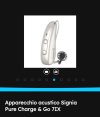
pvc
Well-Known Member
- Joined
- Apr 12, 2023
- Messages
- 3,583
- Reaction score
- 869
And, now we are changing again to;You are in a Phonak Target thread while talking about GN ReSound hearing aids, and now again we have switched to Signia. Sorry I can't keep up with what you are trying to accomplish.
- How to setup the ReSound Cellphone App
- And, How to setup a CROS system
Dankailo
Member
- Joined
- Aug 31, 2023
- Messages
- 37
- Reaction score
- 10
I thought the upgrading is done inside the Target 9 software. You have to look for the word "setup" at the bottom of the screen then clicked. The update screen will show you "Target 10 updates". Check it outIm using Target 9.1 which is refusing to upgrade to 10! Does anyone have a copy of 10 so I can see if that will install directly?
Thanks!
timboberonion
New Member
- Joined
- Aug 1, 2025
- Messages
- 1
- Reaction score
- 1
May I get a link to the Target 10 software, please?
That's what I've been doing! 9 installs fine, but won't upgrade to 10I thought the upgrading is done inside the Target 9 software. You have to look for the word "setup" at the bottom of the screen then clicked. The update screen will show you "Target 10 updates". Check it out